Flux.2 Review: The Open Source King Grows Up
When Black Forest Labs released Flux.1 in 2024, it was a declaration of war. It proved that open weights didn't have to mean "lower quality." It forced Midjourney to innovate and DALL-E to sweat.
Now, with the release of Flux.2 in late 2025 and the subsequent "Klein" family in early 2026, the German research lab has done it again. But this time, they aren't just targeting the hobbyists. They are coming for the entire production pipeline.
I have spent the last week testing Flux.2 [pro], [dev], and [schnell] across everything from consumer GPUs to high-end cloud clusters. Here is the verdict: The King is back, and he brought friends.
The Family Tree: Understanding the Variants
Flux.2 is not a single model; it is an ecosystem. Understanding the difference is critical before you download 40GB of weights.
1. Flux.2 [pro] (The Heavyweight)
- Best For: Commercial advertising, high-end photography, and agency work.
- The Vibe: It is the "lossless" version. The lighting is physically accurate to a fault. It treats every prompt like a Hasselblad commercial shoot.
- Access: API Only. You cannot run this locally unless you have an H100 cluster in your basement.
2. Flux.2 [dev] (The Creator's Tool)
- Best For: Artists, developers, and LoRA trainers.
- The Vibe: This is the open-weight superstar. It has 95% of the quality of [pro] but runs on a decent 24GB VRAM card (RTX 4090 or 5090).
- License: Non-Commercial. This is for research and personal art, not for selling.
3. Flux.2 [schnell] (The Speedster)
- Best For: Real-time generation, sketching, and iteration.
- The Vibe: Fast. Blisteringly fast. It sacrifices some texture detail (skin pores are smoother), but it generates an image in literally milliseconds on modern hardware.
4. Flux.2 [klein] (The Consumer Hero)
- Best For: Laptops and mid-range GPUs.
- The Vibe: Released in Jan 2026, these are distilled 4B and 9B parameter models. They fit on an 8GB card. They punch way above their weight class, delivering results that look better than SDXL while running on a toaster.
What's New? The Flux.2 Upgrades
1. The "Texture" Engine
Flux.1 was great, but it had a "plastic" look on skin if you didn't prompt carefully.
Flux.2 fixes this.
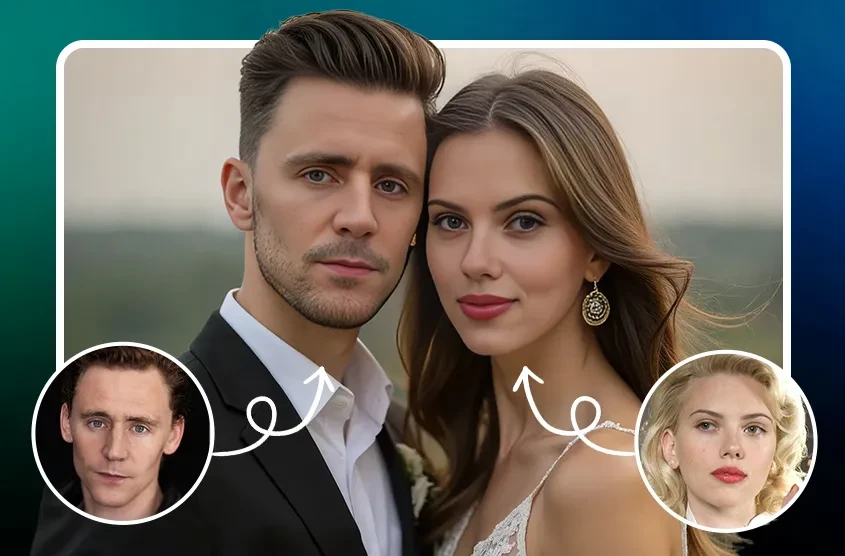
The Pore Test: I generated a "macro shot of an elderly fisherman."
Flux.2 rendered the subsurface scattering of the skin, the distinct texture of the beard hair versus the eyebrow hair, and the moisture in the eyes. It doesn't look like "AI Art." It looks like a RAW photograph.
2. Hex-Code Color Accuracy
This is a game-changer for designers.
Most AI models view "Red" as a concept. Flux.2 views "Red" as math.
You can prompt: "A branding package using #FF5733 orange and #2C3E50 blue."
It actually hits the specific hex codes. For corporate branding work, where "Coke Red" needs to be Coke Red, this feature alone makes Flux.2 the industry standard.
3. Native Text Rendering 2.0
Flux.1 could do text. Flux.2 typesets.
I tried the "Menu Test":
"A chalkboard menu outside a cafe. It lists: 'Espresso - $3', 'Latte - $4', 'Croissant - $5'. The font is messy handwriting."
Result: Perfect spelling. Perfect alignment. It even varied the handwriting style slightly for each line.
4. Anatomy & Physics
Hands are fixed. I generated 50 images of people holding complex objects (chopsticks, violins, game controllers).
- Success Rate: ~92%.
- Failure: It still struggles with "interlocking" fingers in very complex grips (like Jiu-Jitsu), but for standard poses, the "AI Hand" meme is officially dead.
Flux.2 vs. The World
vs. Midjourney v7
- Midjourney v7 is an Auteur. It adds its own flavor. It makes things dramatic, colorful, and emotional, even if you didn't ask for it.
- Flux.2 is a Cameraman. It gives you exactly what you asked for. If your prompt is boring, the image is boring.
- Verdict: Use Midjourney for inspiration. Use Flux.2 for execution.
vs. Nano Banana Pro (Gemini 3)
- Nano Banana is safer and smarter at "reasoning" (understanding physics).
- Flux.2 is rawer. It allows for more artistic freedom. Plus, you can run Flux.2 locally. You can never run Nano Banana locally.
- Verdict: Flux.2 wins on Privacy and Control.
The "Local" Advantage: Why It Matters
The biggest selling point of Flux.2 isn't just the pixels; it's the pipeline.
Because [dev] and [klein] are open weights, the community has already built an ecosystem around them.
1. LoRA Training
You can train a Flux.2 LoRA on your own face or product in about 20 minutes on a cloud GPU. The likeness retention is shockingly high. Unlike SDXL, which required 30+ photos, Flux.2 learns a face with 5-8 good images.
2. ControlNets
The community ControlNets for Flux.2 are mature. You can use distinctive "Depth" or "Canny" passes to force the composition to match a sketch. This makes it a viable tool for architects who need to turn a napkin sketch into a render without changing the lines.
3. Privacy
For studios working on NDA projects (movies, unreleased products), uploading to Midjourney or OpenAI is a security risk. Flux.2 allows you to disconnect the ethernet cable and still generate. That peace of mind is priceless.
Under the Hood: The "Rectified Flow" Revolution
To understand why Flux.2 is so good, we have to talk about the math.
Most AI image generators (like Stable Diffusion 1.5 or DALL-E 2) were built on "Latent Diffusion Models" (LDMs). They started with pure noise and slowly denoised it step-by-step. It worked, but it was inefficient and often got confused by complex geometry.
Flux.2 uses a Rectified Flow Transformer architecture.
Imagine you are trying to walk from Point A (Noise) to Point B (Image).
- Old Diffusion: Takes a drunk, zig-zagging path home. It eventually gets there, but it takes 50 steps and might stumble.
- Rectified Flow: Draws a straight line. It calculates the optimal path from noise to data.
Why does this matter to you?
- Efficiency: Because the path is straighter, it needs fewer steps. Flux.2 [schnell] can produce a usable image in just 4 steps.
- Semantic adherence: The "Transformer" part (similar to the brain of GPT-4) allows it to understand the relationships between objects. In old models, if you asked for "A cat reading a newspaper," the cat would melt into the paper. Flux.2 understands that "Cat" and "Newspaper" are distinct entities that interact but do not merge.
32 Billion Parameters of Power
Flux.2 [pro] and [dev] are massive. At ~32 Billion parameters (combined text encoder + DiT), they are roughly 4x larger than SDXL.
This size allows for "World Knowledge."
I prompted: "A vintage 1990s Game Boy playing a game called 'Flux Quest'."
Small models would make a generic grey brick. Flux.2 knew the exact button layout of a Game Boy, the screen aspect ratio, and the font style of 90s pixel art. It didn't just generate a rectangle; it retrieved a memory.
The Hardware Reality: Can you Run It?
This is the big question. Flux.2 [dev] is a beast. Here is a realistic breakdown of what you need to run this locally.
The "Full Fat" Experience (FP16/BF16)
If you want to run the model at full precision (as released by Black Forest Labs):
- VRAM Required: ~60GB+
- Hardware: 1x NVIDIA A100 (80GB) or 2x RTX 3090/4090s spread via NVLink (imperfect).
- Verdict: Basically impossible for consumers.
The "Smart" Experience (FP8)
The community quickly quantized the model to FP8 (8-bit floating point). This is the standard way 99% of people run Flux.2 [dev].
- VRAM Required: ~16GB - 24GB
- Hardware: RTX 3090 (24GB), RTX 4090 (24GB), or RTX 5090 (32GB).
- Verdict: The "Gold Standard" for high-end creative work.
The "GGUF" Experience (Quantized)
Thanks to the work of legends like 'city96' and 'Illyasviel', we have GGUF quants (Q4_0, Q5_K_M).
- VRAM Required: ~12GB
- Hardware: RTX 3060 (12GB), RTX 4070 (12GB).
- Verdict: You lose some fine texture detail (skin looks a bit waxier), but prompt adherence remains excellent.
The "Edge" Experience (Flux.2 Klein)
- VRAM Required: ~6-8GB
- Hardware: Any modern gaming laptop, MacBooks with M-series chips.
- Verdict: This is the miracle. Running a state-of-the-art transformer on an 8GB laptop was a dream in 2024. In 2026, it is reality.
Speaking Flux: The Prompting Guide
Flux.2 is not "vibes-based" like Midjourney. It is "instruction-based" like a coder.
Midjourney loves poetry. Flux likes prose.
The "Natural Language" Shift
Stop using comma-separated tags.
- Bad Flux Prompt: woman, beautiful, cinematic lighting, 8k, masterpiece, trending on artstation.
- This confuses Flux. It tries to literally put "artstation" in the image.
- Good Flux Prompt: A medium-shot portrait of a young woman with freckles standing in a neon-lit alleyway. She is looking over her shoulder at the camera. The lighting is moody, with blue and pink rim lights capturing the texture of her rain-soaked jacket. Shallow depth of field.
Handling Text
To get perfect text, use standard quotation marks or code blocks description.
- Prompt: A movie poster for a film titled "THE LAST ANDROID". The text is bold, metallic silver, and placed at the top center. The subtitle "Coming 2027" is in small white sans-serif font at the bottom.
- Tip: If it fails, repeat the text constraint twice. "The text says 'HELLO'. Ensure the text 'HELLO' is visible."
The "No Style" Default
Flux.2 defaults to a very specific look: "High-end Digital Photography." It looks realistic but slightly boring. To break this, you must explicitly describe a medium.
- To get Art: "...in the style of an oil painting with thick impasto brushstrokes..."
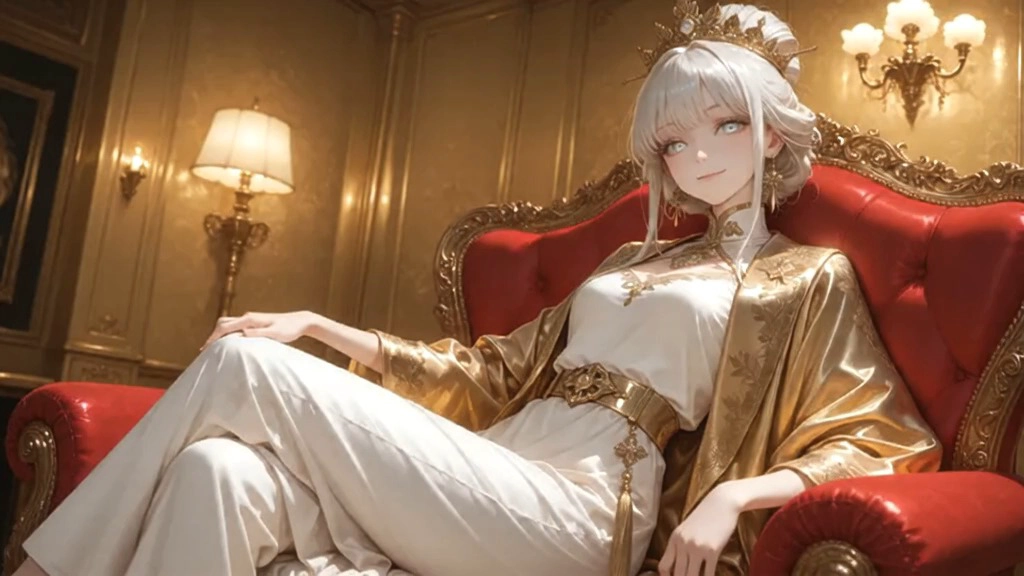
- To get Anime: "...1990s cel-shaded anime screenshot, high grain, muted retro palette..."
- To get 3D: "...claymation render, subsurface scattering, fingerprint textures on the clay..."
Workflow Scenarios: How to Actually Use This
Let's walk through two real-world professional workflows that Flux.2 unlocks.
Workflow A: The Product Photographer (Virtual Production)
Goal: Create a campaign for a new Coffee Brand without a photoshoot.
- Preparation: Take 10 photos of the coffee bag on your phone.
- Training: Train a Flux.2 LoRA (Low-Rank Adaptation) on these 10 photos. This takes ~30 mins on a rental GPU (RunPod/Lambda).
- Generation: Load the LoRA in ComfyUI or Forge.
- Prompting: "A bag of [trigger_word] coffee sitting on a rustic wooden table in a cozy cabin. Morning sunlight streaming through the window. Steam rising from a nearby mug."
- Refinement: Use Flux.2's inpainting to fix the steam shape.
- Result: A $5,000 photoshoot generated for $0.50 of compute.
Workflow B: The Concept Artist (Iterative Design)
Goal: Design a character for a sci-fi game.
- Sketching: Draw a rough stick figure pose in Krita or Photoshop.
- ControlNet: Use a specific Flux.2 "Canny" or "Depth" ControlNet. This locks the pose.
- Exploration (Schnell): Set the model to [schnell] and batch size to 4.
- Prompting: "Cyberpunk bounty hunter, neon armor, helmet off."
- Iteration: Generate 20 variations in 10 seconds.
- Selection: Pick the best design.
- Finalize (Dev): Switch to [dev] model, keep the seed, and upscale to 4K for the final detailed render.
The Community Ecosystem
The true strength of Flux is not the model itself, but what people built on top of it.
- PuLID (Pure Lightning ID): A method to inject a face ID into Flux without training. You create a "ID embedding" from one photo and inject it into the generation. It works instantly.
- ComfyUI Nodes: The modular interface "ComfyUI" has exploded with Flux-specific nodes. You can build logic chains: If image is dark -> brighten -> upscale -> save.
- GGUF Quantization: As mentioned, the ability to shrink this massive model into consumer VRAM without breaking it is a feat of software engineering that deserves a Nobel Prize.
Use Cases: Who is this for?
1. The "Solopreneur" Brand Manager
With the Hex-Code color matching and text rendering, a single person can generate an entire month's worth of social media assets that strictly adhere to brand guidelines.
2. The Game Developer
Flux.2 [schnell] is fast enough to generate textures on the fly. We are seeing tests where game devs use it to generate infinite variations of "wood grain" or "brick wall" at runtime.
3. The / Artist
Let's be real. One of the biggest drivers of open-source AI is the lack of "Nanny filters." While Black Forest Labs has safety filters in the API [pro] version, the local [dev] versions are notably less puritanical than OpenAI. It allows for artistic and complex, mature themes that other models block.
Conclusion: The Industrial Revolution of AI Art
Flux.2 feels like the moment AI image generation graduated from "Magic Trick" to "Industrial Tool."
It lacks the sheer serendipitous beauty of Midjourney. It lacks the terrifying intelligence of Gemini's Nano Banana. But it has something neither of them have: Reliability.
When I prompt Flux.2, I know what I am going to get. It respects my camera settings. It respects my colors. It spells my text correctly. And most importantly, I own the weights.
My Personal Verdict:
I have cancelled my Midjourney subscription.
Not because Midjourney is bad—it's beautiful. But because Flux.2 [dev] running locally on my rig gives me a feeling of ownership over the creative process that a Discord bot never could.
If you are a hobbyist, stick to the cloud tools.
If you are a professional builder, Flux.2 is your new foundation.
Score: 9.5/10 (Deducted 0.5 because the hardware requirements for [dev] are still punishingly high for average users).