The All-in-One AI Video Creator 🎬
Quick “Color Key” so the article stays easy to scan 🌈
- Feature = what Kling O1 can do
- Benefit = why you should care
- Tip = how to get better results
- Heads-up = limitation or reality check
- Yellow highlight = the big “wow” point (used sparingly)
Introduction: What Kling O1 Is (in normal human language) ✨
Kling O1 is a smart tool from Kling AI (Kuaishou) that helps you create and edit short videos using simple instructions.
You can:
- type what you want (text),
- upload a photo (image),
- or upload a short clip (video),
…and Kling O1 tries to turn that into a polished video result.
The main “breakthrough” idea: Kling O1 is built to handle generation + editing in one place, instead of making you jump between tools.
What Is Kling O1? 🧠
The simple definition
Kling O1 is like talking to a video director who:
- listens to your instructions,
- remembers what characters and objects look like,
- and can change parts of a video without you doing complicated editing.
If old-school editing is “click a thousand buttons,” Kling O1 is more like:
“Hey, make the sky pink and that guy in the background.”
What it’s best at (for everyday users)
- Making short cinematic clips from ideas
- Fixing or changing an existing clip with plain-language instructions
- Keeping characters consistent across a shot (and sometimes across multiple shots)
Key Features People Actually Care About ✅
1) Create video from text (Text-to-Video) 📝➡️🎥
- Feature: You describe the scene, style, and action.
- Benefit: No filming. No editing timeline. Just words.
Example prompt:
“A cozy coffee shop at sunset, cinematic lighting, slow camera move.”
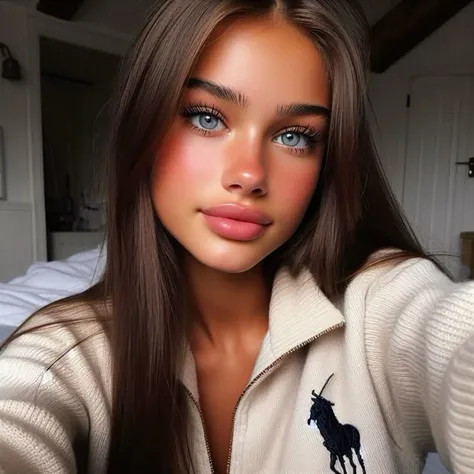
2) Animate an image (Image-to-Video) 🖼️➡️🎞️
- Feature: Upload a photo or artwork and tell it how to move.
- Benefit: Your still image becomes a living moment.
Example instruction:
“Make her hair move in the wind and add gentle camera push-in.”
3) Edit an existing video with plain language ✍️🎥
- Feature: Upload a short clip and say what to change.
- Critical highlight: It’s like editing by conversation instead of by tools.
Examples of simple edits:
- “ the bystanders.”
- “Change daytime to dusk and add city lights.”
- “Swap the outfit to a red hoodie.”
4) Keep characters and objects looking the same (Consistency) 🎭
- Feature: Use reference images so the AI “sticks” to the same face/outfit/prop.
- Benefit: Fewer “who is that?” moments mid-video.
You can think of it like this:
Kling O1 remembers what your friend looks like even when they move around in the video.
5) “Skill combos” (multiple changes in one go) 🧩
- Feature: You can ask for more than one thing at once.
- Critical highlight: “Add this character + change the background + change the style” can be one request.
Example combo:
“Put my character in a rainy neon city, anime style, and make the camera orbit slowly.”
The Big Superpower: “Director With Perfect Memory” 🎬🧠
Why consistency matters (and why people hype it)
A lot of AI videos look cool… until:
- the face shifts,
- the outfit morphs,
- the object changes shape,
- or the background “teleports.”
Kling O1 focuses hard on avoiding that.
When it works well, it feels like a real shot instead of a flickery dream.
How you help it stay consistent (the beginner way)
Use reference images:
- 1 clear image is good,
- 2–4 angles is better,
- and keep them well-lit and not blurry.
Some platforms call this an “Elements” setup: basically a character sheet for your actor/prop.
How It Works (Beginner Walkthrough) 🧑🏫
Make a new video in 6 simple steps 🪄
- Pick your goal
- New video from scratch, or edit an existing clip?
- Write a clear prompt
- Who/what is in the scene, where, what happens, what style.
- Add references (optional but powerful)
- A face, product photo, character art, or a style image.
- Choose format
- Vertical for social (9:16), widescreen (16:9), or square (1:1).
- Generate
- The tool takes a bit. That’s normal. ☕️
- Refine if needed
- Small prompt edits can massively improve results.
Editing a clip is even simpler 🛠️
- Upload the clip (short works best)
- Tell it the change
- Generate
- Re-try with clearer instructions if needed
Video Length & Quality: What to Expect 🎞️
Typical length
- Feature: Kling O1 commonly supports 3–10 second generations/edits.
- Benefit: Perfect for social clips, ad shots, quick story moments.
Look & style
You can aim for:
- realistic cinematic vibes 🎥
- anime / illustration styles 🎨
- dreamy, surreal looks ✨
(Style usually comes from your prompt + any style reference images.)
Benefits for Everyday Users 💡
- Benefit: No pro editing skills needed
- Benefit: Faster creation (idea → clip in minutes, not days)
- Benefit: Consistency helps clips feel more “real” and less glitchy
- Benefit: One place for making + fixing + restyling
If you’ve ever said “I can picture it, but I can’t edit it,” Kling O1 is built for you.
Practical Use Cases (Real-World Stuff) 📌
Social media creators 📱
- quick cinematic B-roll style clips
- “impossible” scenes for reels/shorts
- changing a background without reshooting
Small business & ads 🛍️
- product shots in different scenes
- “virtual runway” outfit swaps
- fast variations for A/B testing
Personal fun & storytelling 🥳
- birthday mini-films
- inside jokes turned into video
- vacation photos animated into motion
Storyboards & pitching ideas 🧠📋
- visualize scenes before filming
- try different moods, lighting, angles quickly
Limitations (Reality Checks) ⚠️
- Heads-up: Short clips (great for shots, not full movies)
- Heads-up: It may take multiple tries to nail the exact look
- Heads-up: Queues / credits can be a thing (especially on free plans)
- Heads-up: Audio is usually not the focus for fully generated clips (you often add sound later)
The vibe to adopt:
Expect “creative drafts” at first, then refine.
Tips for Better Results (Beginner-Friendly) 🧪
Prompting tips 📝
- Tip: Start simple: one subject + one action + one setting
- Tip: Add camera cues: “slow push-in”, “wide shot”, “handheld feel”
- Tip: If something is wrong, say it plainly: “no extra people”, “no text”, “keep outfit the same”
Reference tips 🖼️
- Tip: Use clear, well-lit reference images
- Tip: For consistency, provide 2–4 angles if you can
- Tip: Don’t mix wildly different styles in references (it can confuse the look)
Iteration tips 🔁
- Tip: Change one thing at a time when fixing results
- Tip: Save prompts that worked (your personal “spellbook” 📖✨)
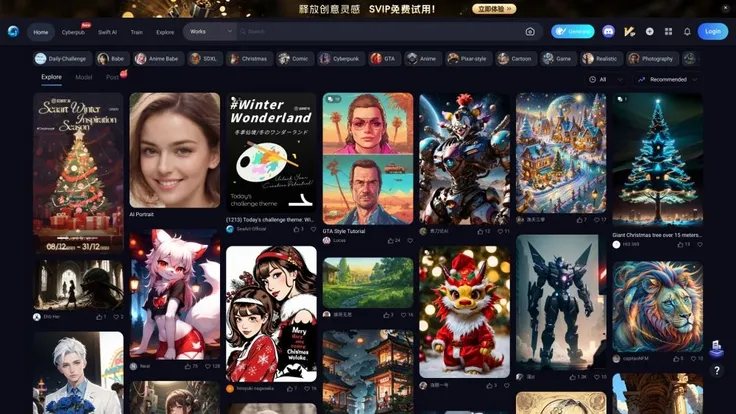
Where to Try Kling O1?
SeaArt Profile:
- SeaArt Official account: https://www.seaart.ai/pt/models/detail/d4o2nhle878c73ef7nq0
- Kling O1 Image Model: https://www.seaart.ai/pt/models/detail/d4u0op5e878c738rf410
Beginner tutorials (watch-and-copy style) 🎥
- Beginner tutorial (Input anything):
- How to use Kling O1 (tutorial):
- Complete beginner guide (15 use cases):
Conclusion: How to Get the Most Out of Kling O1
If you remember one thing, make it this:
Kling O1 is strongest when you give it clear instructions + solid references.
Start with tiny wins:
- a simple 5–10 second shot,
- one character,
- one action,
- one vibe.
Then level up:
- add reference angles,
- try “edit by conversation,”
- stack a “skill combo” when you’re ready.