50M
+Creator

A world-leading AI video generation model that delivers a major leap in motion coherence, camera logic, and sequence stability, supporting text-to-video, image-to-video, and start/end frame control.

Transform your ideas into stunning AI videos with unmatched multimodal power. Seedance 2.5 supports multiple references (images, video clips, audio, and text) in a single generation. Use text prompts alone or mix them seamlessly for complete creative control, and generate native 4-30 second clips in up to 4K resolution - perfect for storytelling, ads, and professional projects
No more struggling to describe camera angles in text. Just upload a reference clip and Seedance 2.5 Motion Control intelligently replicates professional camera work - tracking shots, zooms, pans, and more. Combined with enhanced physics simulation and motion stability, your videos flow naturally with director-level control. Create custom backgrounds or pair references with text prompts for even greater accuracy.
Seedance 2.5 AI video generator delivers fundamental breakthroughs with richer multi-asset understanding, superior character and scene consistency over longer durations, accurate physics, and fluid, realistic motion. Enjoy native 30-second clips, more controllable generation and editing, and sharper 4K visuals without compromising speed or coherence.


Native 30s Multimodal Video Creation
Generate complete, high-quality 30-second videos in one pass using any combination of text, images, videos, and audio. No more tedious stitching for longer, rhythmic storytelling.

No Watermark on Creations
All content generated on SeaArt AI comes clean - no watermarks on images, videos, or audio. Download and use freely for any project.



Character Consistency
Same face, same outfit across multiple shots. Upload reference images to keep everything locked from scene to scene.

4K Resolution & Studio-Quality Output
Experience sharper details, better lighting, and cinematic realism with native 4K support, ideal for high-end content.
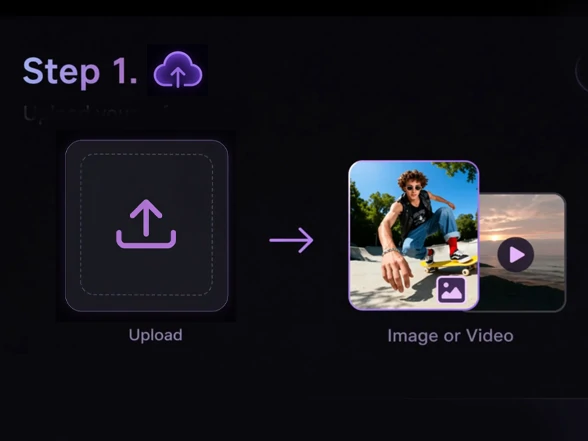
Input Your Content
Upload images, videos, audio files, or simply enter text prompts to start creating with Seedance 2.5.
Configure Your Video Settings
Set video length from 4-30 seconds and write your prompt. Define elements like camera movements, character details, and scene styles.
Generate and Download
Get your video with audio in 1 minute. Download directly or extend for longer sequences.

How is Seedance 2.5 different from Seedance 2.0?

How do I tell Seedance what each file should do?
Upload your files to Seedance 2.5 and write a clear prompt describing what you want. The AI automatically understands how to use your images for visual style, videos for motion reference, and audio for soundtrack. Just describe your vision in natural language - no complex tagging needed.
Can I make videos longer than 30 seconds?
Direct generation caps at 30 seconds. But here's the trick - make a 5-second base clip, then extend it. Add 5 more seconds, then another 10 if you want. The extension feature keeps everything consistent (same character, same lighting) and you can chain them to hit 45, even 60 seconds. Just set your extension length to match how many new seconds you're adding.
What if I don't upload audio? Does the video come out silent?
No, it auto-generates sound. Footsteps, environment noise, basic audio that matches the scene. If you upload your own audio file, SeaArt AI uses that instead and syncs the visuals to it. The auto-generated audio works fine for previews but might need replacement for professional projects. You can also export silent and add audio later in post if needed.
How accurate is camera move copying?
Extremely accurate for clear movements (tracking, zooms, pans). Upload a reference video and Seedance 2.5 replicates the motion path reliably, enhanced by improved physics and prompt understanding. Combine with text for subtle adjustments.
What is the difference between First/Last Frame and Full Reference?
First/Last Frame is useful when you want to animate between one or two images with a simple prompt. Full Reference gives you more creative control by combining images, video references, audio, and text prompts for more complex video generation.
Create AI videos with text prompts, images, audio, or video references. Seedance 2.5 Video Generator is available on SeaArt AI with daily Stamina, making professional AI video creation fast, flexible, and easy to start.