A Colorful and Fun Comparison of Grok Imagine, Qwen image 2.0, and Seedream 5.0 on SeaArt
Introduction to AI Image Creation on SeaArt
Welcome to this big guide about making images on the internet! Today we will look at three incredibly cool tools available on the SeaArt website. We will talk about Grok Imagine Image, Qwen image 2.0, and Seedream 5.0. These three tools are very interesting and have unique features that will blow your mind.
SeaArt is a wonderful website where anyone can become an artist in a few seconds. You just type what you want to see, and the computer draws it for you. But how do you choose which tool to use? Each tool has its own style and speed. Some are good for funny pictures, while others are great for realistic photos. In this guide, we will explore all the details so you can make the best choice.
Making art with computers is a big hobby for millions of people today. You do not need pencils or paint. You only need an idea and some words. This guide will help you understand how these three choices work. We will use simple words. You will not see complicated tech words here. We want everyone to enjoy learning about this!
First Tool: Grok Imagine Image
Let us start with Grok Imagine Image. This tool is known for being very funny and bold. It comes from a big social media company and it loves to make pictures that catch your eye. If you want something silly or very colorful, this is a great choice.
What makes it special?
- Speed: It works very fast. You just blink and your picture is ready!
- Fun Style: It understands jokes and memes better than other tools.
- Bold Colors: The images are always bright and full of life.
When you use this tool on SeaArt, you will notice it is very easy to use. It does not ask for many complicated settings. You give it an idea, and it gives you a big and bold result. It is perfect for making pictures to share with your friends online. Many people use it to make funny animal pictures or crazy imaginary worlds.
Another cool thing about this choice is how it handles words. If you ask for a sign with text on it, it usually gets the spelling right. This is very helpful when you want to make a funny poster or a greeting card.
Second Tool: Qwen image 2.0
Now let us look at Qwen image 2.0. This tool is very smart and understands very long instructions. If you have a very specific idea with tiny details, this tool is ready to listen. It is like having a careful painter who listens to every single word you say.
What makes it special?
- Great Listener: It follows long and detailed descriptions perfectly.
- Soft Details: It makes beautiful and realistic textures, like soft skin or shiny metal.
- Excellent Quality: The pictures look very professional and clean.
On SeaArt, this option is great for artists who want total control. If you want a cat wearing a tiny blue hat while drinking tea from a gold cup on a wooden table, Qwen will make exactly that. It does not miss any details. It is very precise.
People who want to make beautiful portraits or stunning nature scenes often pick this tool. The lighting in these pictures always looks very natural and soft. It is like taking a picture with a very expensive camera. If you have a beautiful idea in your head, this tool will gently bring it to life on your screen with stunning accuracy.
Third Tool: Seedream 5.0
Our last tool is Seedream 5.0. This one is very special because it is incredibly realistic. It focuses on making pictures that look like real life. If you want to create a picture of a beautiful landscape or a detailed product, this is your absolute best friend.
What makes it special?
- Real World Look: The pictures look like real photographs taken by a professional.
- Smart Search: It knows a lot about real places and famous things.
- Clean Images: The quality is superb and there are no weird mistakes in the background.
Using Seedream on SeaArt feels like magic. You can ask for a picture of a street in a specific city, and it will look very accurate. It is great for people who need pictures for their work or their projects. The shadows, the sunlight, and the materials all look absolutely perfect.
This tool is also very good at fixing things. If you have a picture and you want to change just one small part, Seedream is very smart about it. It knows how to blend the new change with the rest of the picture naturally. It is a very powerful helper for anyone who loves high quality art.
Comparing the Three Options directly
Now we will compare them side by side. Imagine you are in a kitchen. Grok is the chef who makes spicy and fun food very fast. Qwen is the careful baker who measures every exact ingredient for a perfect cake. Seedream is the fancy restaurant chef who makes a meal that looks incredibly real and perfect for a magazine.
Important Note: None of these tools are bad. They are just different from each other. Your choice depends entirely on what you want to create today!
If you are a beginner on SeaArt, you might want to try Grok first. It is very forgiving and always gives you something fun. It is hard to make a mistake. You will laugh and enjoy the fast results.
If you are someone who likes to plan everything, you should pick Qwen. You can write a huge paragraph describing every single detail of your picture, and Qwen will read it all and follow your rules closely.
If you need a picture that looks real enough to print and frame, Seedream is your winner. The level of detail and realism is unmatched. People will look at your picture and think it is a real photograph.
Tips for Getting the Best Results on SeaArt
To get the most out of these tools, you need to practice. Here are some easy tips for anyone starting out:
- Be Clear: Use simple and clear words. Tell the computer exactly what is the most important thing in your picture.
- Use Colors: Mention specific colors. Instead of saying "a car", say "a bright yellow car". It helps a lot!
- Set the Mood: Tell the tool if you want an angry, sad, happy, or bright mood. This changes the lighting completely.
Do not be afraid to make mistakes. The beautiful thing about SeaArt is that you can try again and again. If the first picture looks strange, just change your words a little bit and click the button again. You will learn very quickly what words work best for each tool.
It is also fun to look at what other people are making. You can find inspiration and see what kind of words they use. This is a big community where everybody learns together. Remember to have fun with it!
Testing time: Let us try some Prompts!
We created three exact sentences to test these three tools. You can copy these and try them yourself on SeaArt to see the differences. We left spaces below for you to place the results.
Prompt Number 1: The Funny Scene
A small happy dog wearing large red sunglasses sitting on a beach chair, drinking a tropical juice from a coconut under a bright sun, very colorful and cartoon style.
Grok Imagine Image Result:

Qwen image 2.0 Result:

Seedream 5.0 Result:

Prompt Number 2: The Detailed Portrait
A close up beautiful picture of a young woman with curly silver hair, wearing an elegant green dress, standing in a magical forest with glowing purple butterflies, soft natural lighting.
Grok Imagine Image Result:

Qwen image 2.0 Result:
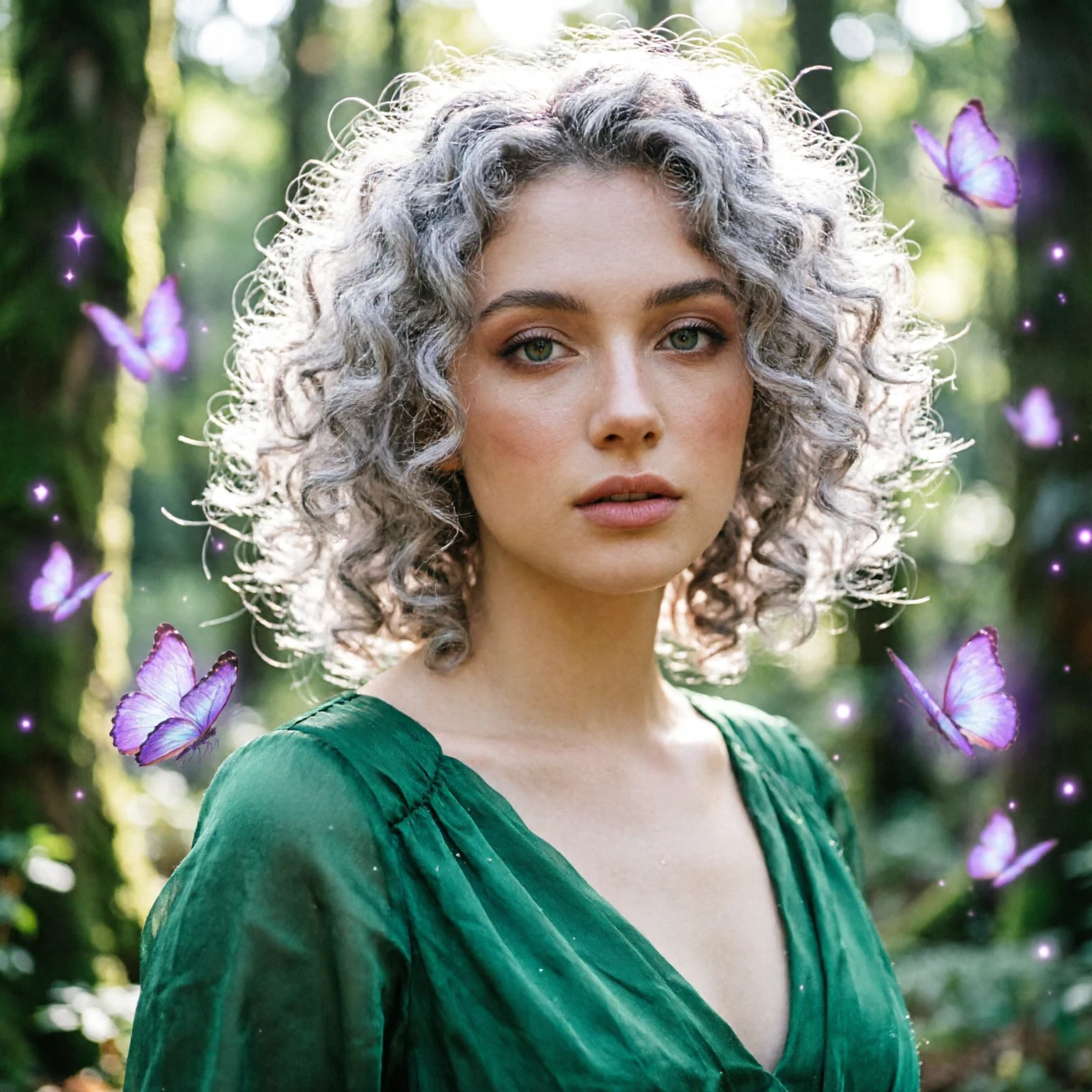
Seedream 5.0 Result:

Prompt Number 3: The Realistic Landscape
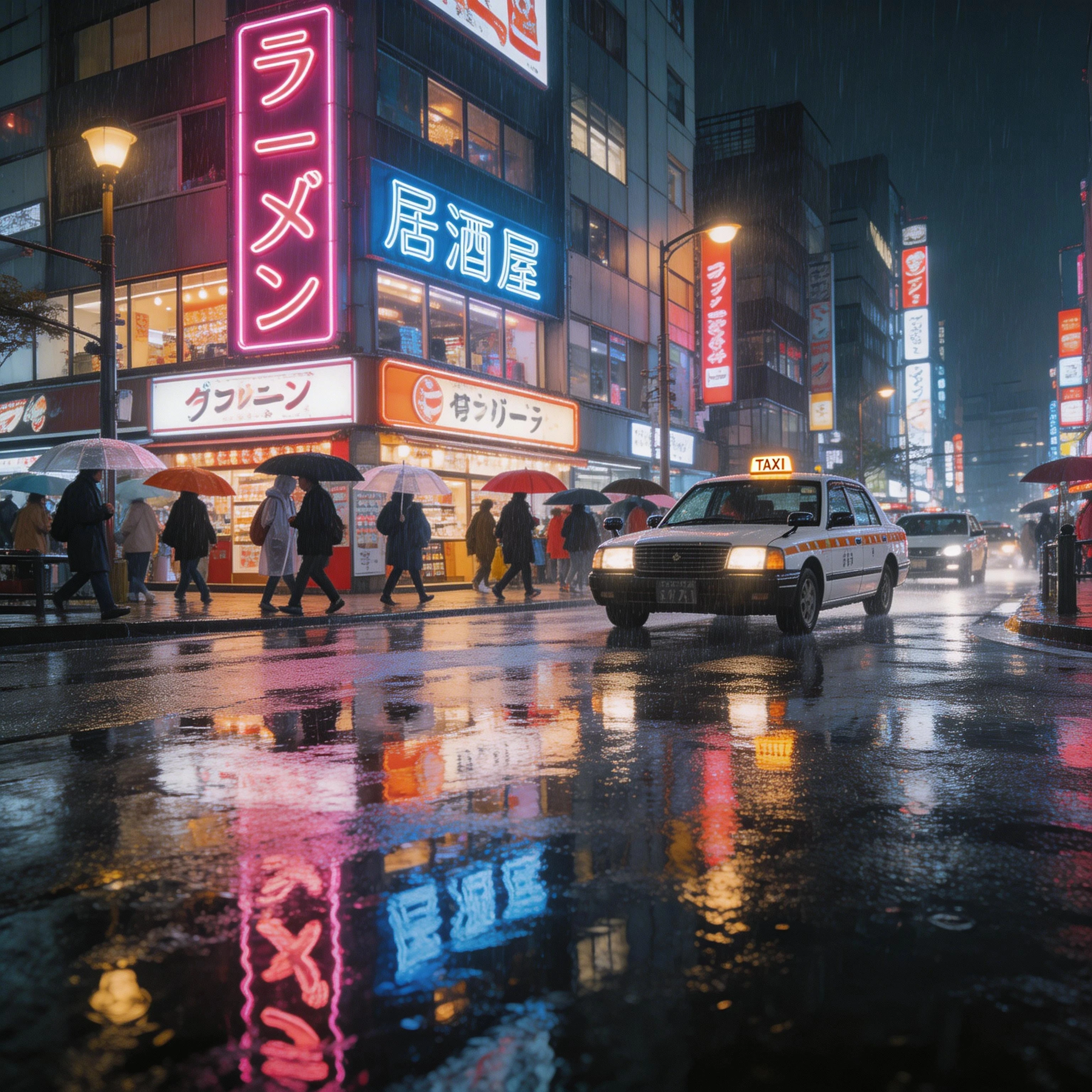
A realistic photography of a busy city street corner in Tokyo at night, raining, bright neon lights reflecting clearly on the wet ground, people walking with umbrellas.
Grok Imagine Image Result:

Qwen image 2.0 Result:

Seedream 5.0 Result:
Final Recommendations
We have reached the end of our journey today. Making a choice between these amazing options is a happy problem to have. They all live together beautifully on the SeaArt website waiting for your ideas.
Here is our final suggestion list to help you decide easily:
- Choose Grok Imagine Image when: You want something fun, silly, and incredibly fast. It is great for sharing quick smiles on social media or creating colorful imaginary creatures that pop out of the screen.
- Choose Qwen image 2.0 when: You have a very specific vision and you need the computer to listen to every single detail you wrote. It is the best choice for artists who want total control over every little aspect of their beautiful painting.
- Choose Seedream 5.0 when: You need a picture that looks completely real. If you are creating landscapes or product photos that need to fool the eye into thinking it is a real photograph, this is the tool you need.
Thank you very much for reading this colorful guide. We hope you feel ready to open SeaArt and start creating your own masterpieces. Remember that the only limit is your imagination. Grab your ideas, pick your favorite tool, and have a wonderful time making beautiful art!